 EarMemo
EarMemo › M4B audiobook player for iPhone
How to play M4B and MP3 audiobooks on an iPhone you already own the files for
Copy the files onto your iPhone and open them in a local audiobook player. EarMemo plays m4b, mp3, m4a, aac, flac and wav straight from the device, reads the chapters built into M4B files, keeps your position per book, and needs no account or internet for playback. It cannot open DRM-protected Audible or Apple Books purchases — nothing third-party can.
Which files can actually be played
The dividing line is not the file extension — it is DRM. A DRM-free file plays in any player you like. A DRM-protected purchase only plays in the store's own app, by design.
| Where the file came from | Format | Plays in a third-party iOS player? |
|---|---|---|
| Libro.fm, Downpour, Kobo DRM-free, humble bundles | m4b / mp3 | Yes |
| LibriVox and other public-domain archives | mp3 / m4b | Yes |
| Your own CD rips or recordings | flac / m4a / wav | Yes |
| Audible | .aax / .aaxc | No — DRM. Use the Audible app. |
| Apple Books audiobooks | protected m4b | No — DRM. Use Apple Books. |
Getting the books onto the phone
EarMemo takes four routes in, and none of them involve iTunes:
- Wi-Fi transfer. Turn it on in EarMemo, open the address it shows in any desktop browser, and drag the files in over your local network. No cable, no cloud, nothing leaves the network.
- Files app. Import from iCloud Drive, Dropbox, an SMB share, or a USB drive plugged into the phone. Folder structure is preserved, so a book split into 40 chapter files stays one book.
- Share Sheet. Received a file in Mail or Messages? Share → EarMemo.
- Finder / USB. Drag into the app's document folder the classic way.
How EarMemo compares — including where it loses
There are several good local audiobook players on iOS. They are built around different priorities, so pick by what you actually need rather than by feature count.
| If the thing you need most is… | Reach for | Why |
|---|---|---|
| Notes tied to the exact second, exported as Markdown | EarMemo | Write while listening; tap a marker to jump back; in a chaptered book, notes sit under their chapter. Export plain .md files with Pro. |
| Offline playback and notes without an account | EarMemo | No app server or analytics; optional Wi-Fi transfer stays on the local network. |
| CarPlay | Bound or BookPlayer | EarMemo has no CarPlay support. |
| Importing books from Dropbox or OneDrive | Bound | Bound can download from those services; EarMemo plays files stored on the device. |
| Open source | BookPlayer | EarMemo is not open source. |
For CarPlay or importing from cloud services, see the official App Store listings for BookPlayer and Bound.
Chapters, and the notes inside them
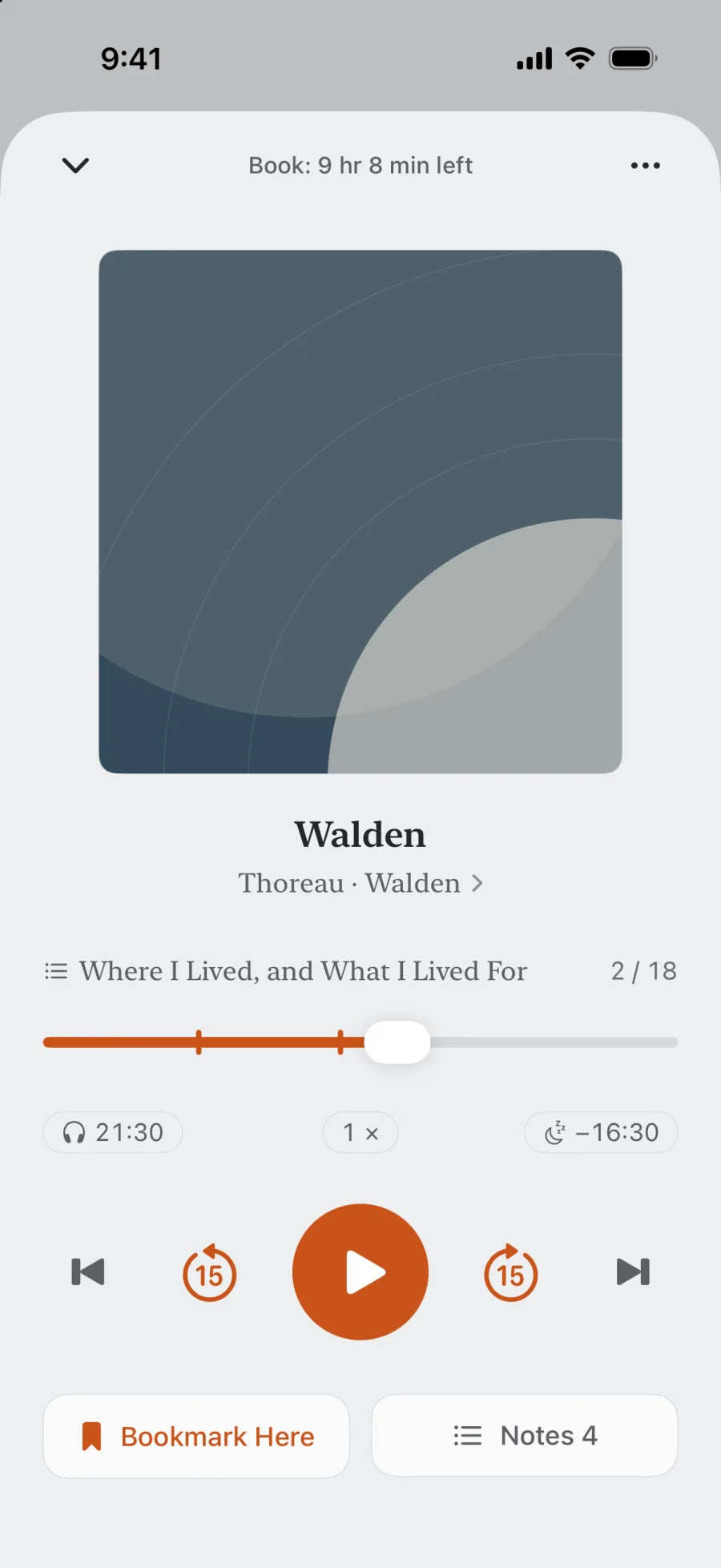
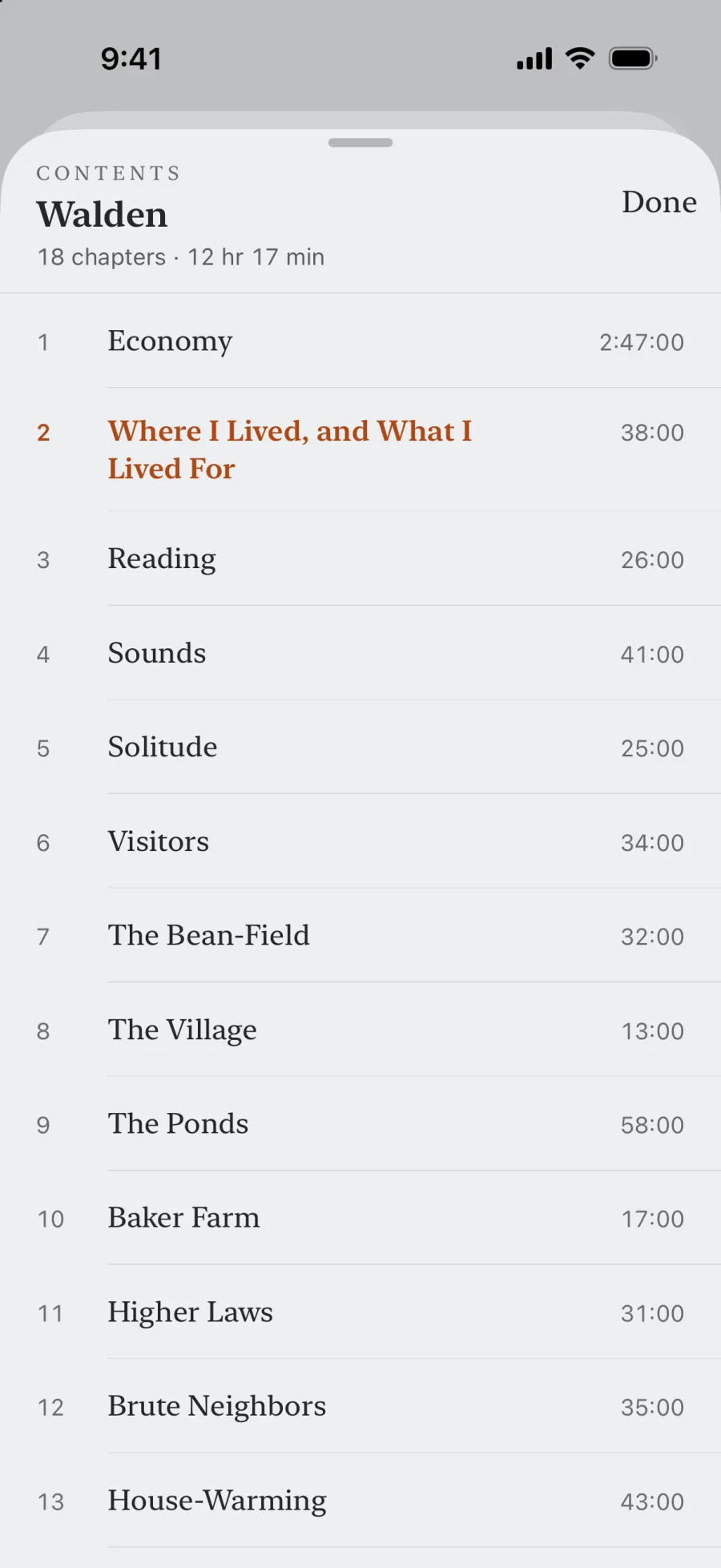
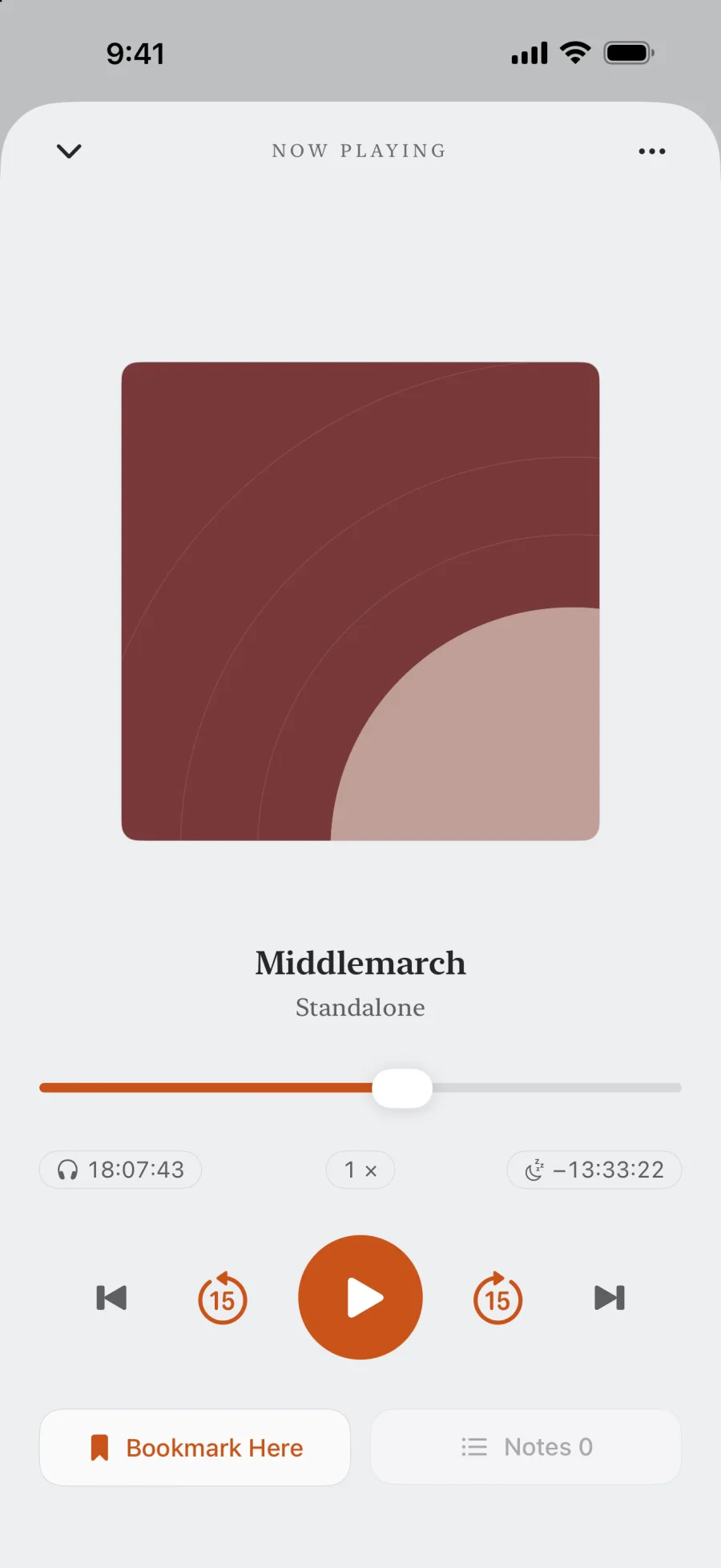
If the file has chapters built in, as many M4B audiobooks do, EarMemo reads them. Tap the chapter name above the progress bar for the table of contents. Previous and Next skip by chapter, on your headphones and in the car too. The progress bar follows the chapter you're in, with the whole book's time left at the top; to put the whole book on the bar instead, tap ⋯ → Progress Bar → Whole Book.
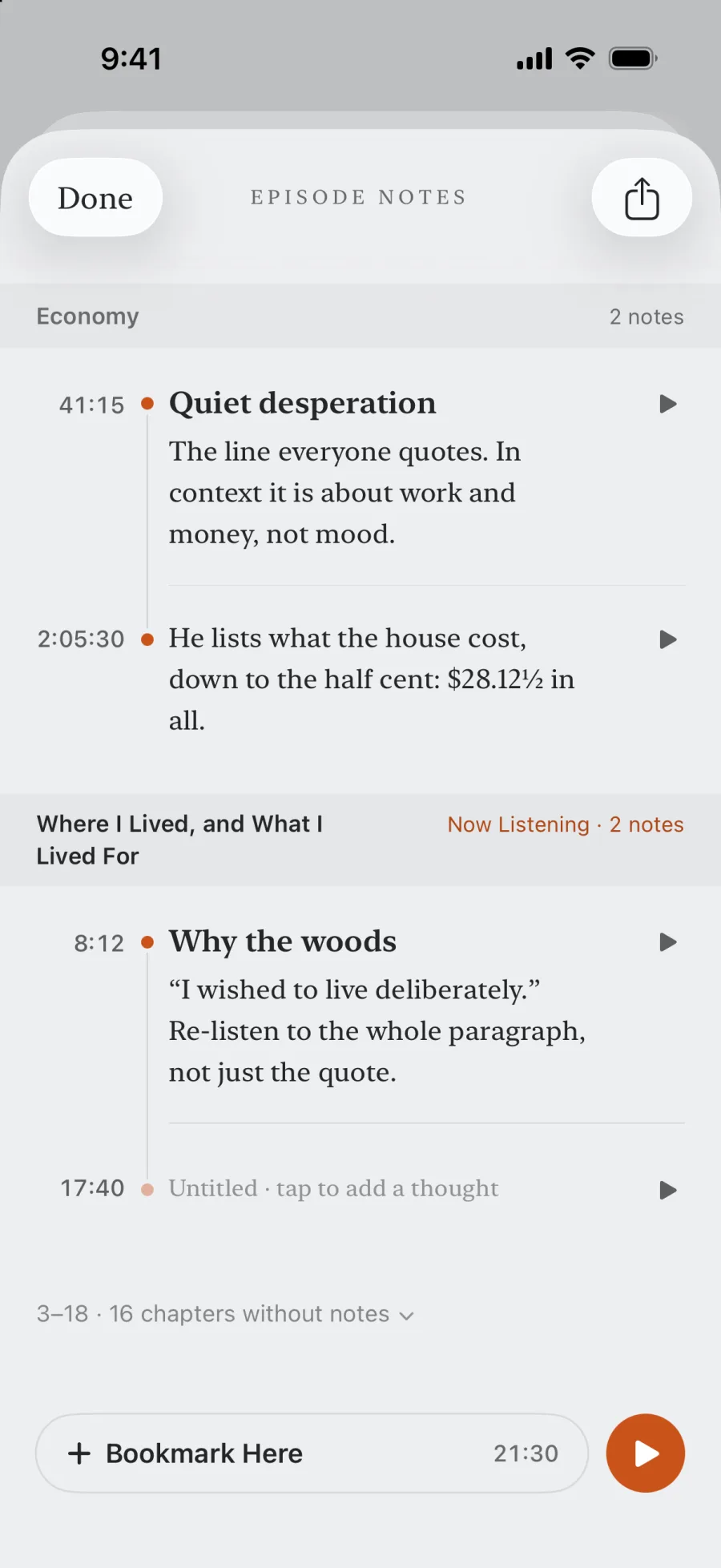
Notes know their chapter. In the notes list each one sits under its chapter, and a run of chapters without notes folds into one line. A Markdown export (Pro) writes both the time within the chapter and the time in the whole book, so either one finds the passage again.
What EarMemo adds once the book is playing
- Playback speed from 0.5× to 3.5×, pitch-preserving, with presets at 0.8× 1.0× 1.2× 1.5× 1.8× 2.0× 2.5× and 3.0×
- Sleep timer that can stop at the end of a chapter, with a live countdown on the Lock Screen and Dynamic Island
- Bookmarks with one-tap jump back — or a press on your AirPods, once it's set in Settings → Headphone Controls
- Timestamped notes written while you listen — see taking notes while listening
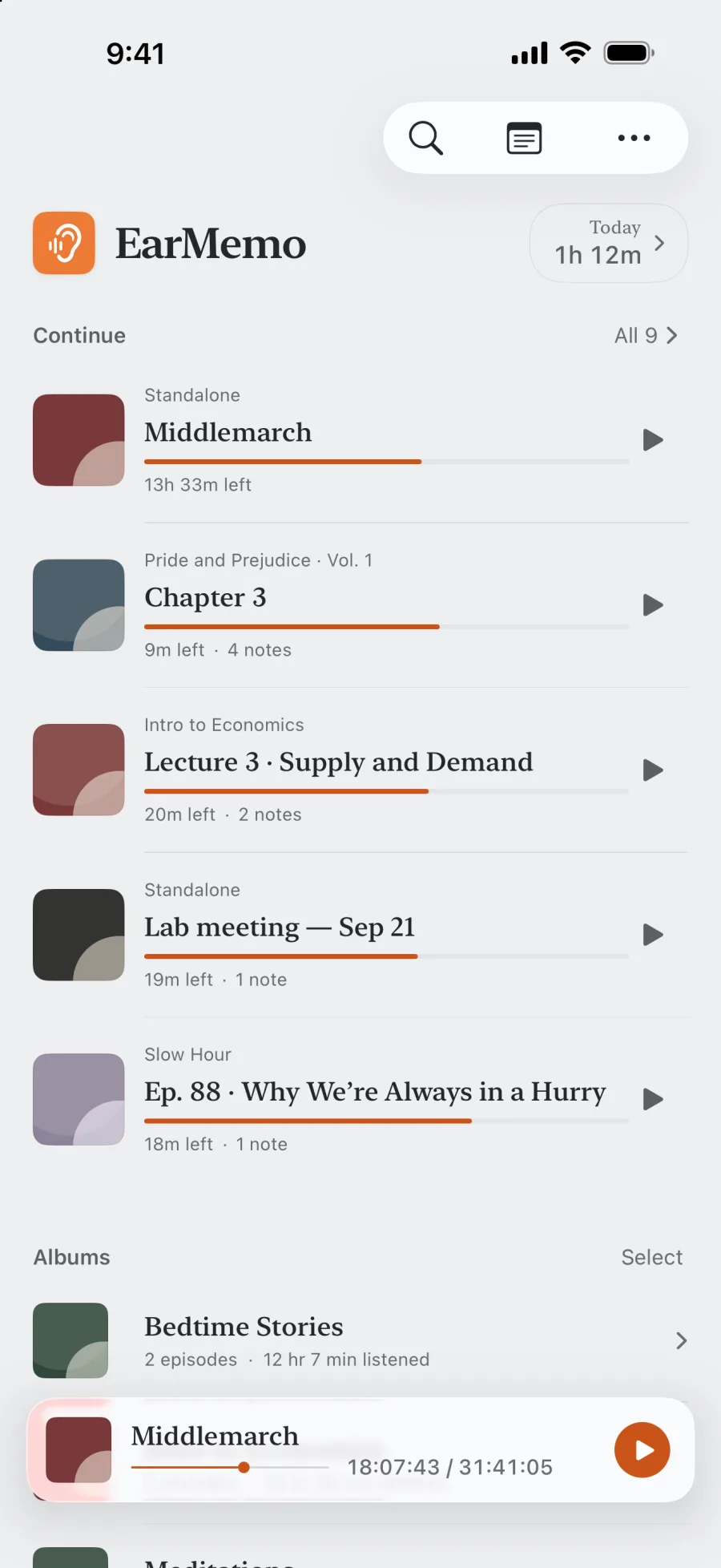
- Position kept per book, so twelve half-finished books are fine
- Background playback with full Lock Screen and Control Center controls
When EarMemo is the wrong choice
- You bought the book from Audible or Apple Books. Those files are DRM-protected. No third-party player opens them, and EarMemo does not pretend to.
- You want CarPlay. Not supported.
- You want your library streamed from a NAS or Audiobookshelf server. EarMemo plays local files only — that is the whole design, and it is a real limitation.
Questions people actually ask
Can an iPhone play M4B files?
Yes, with a third-party player. iOS itself will not add a loose m4b file to Apple Books unless it came from the store, but apps like EarMemo, BookPlayer and Bound play m4b directly from their own libraries.
Does EarMemo read M4B chapters?
Yes. EarMemo reads the chapters embedded in M4B files (and other files that carry them) and shows a table of contents. Previous and Next skip by chapter, the progress bar shows the current chapter or the whole book, notes are grouped by chapter, and the sleep timer can stop at the end of a chapter.
Can I play Audible books in EarMemo?
No. Audible's .aax and .aaxc files are DRM-protected and only play in Audible's own app. This is a licensing restriction, not a limitation any third-party developer can work around.
Do I need iTunes or a Mac to get audiobooks onto my iPhone?
No. EarMemo's Wi-Fi transfer lets you drag files in from any desktop browser on the same network, and the iOS Files app imports from iCloud Drive, Dropbox, SMB shares or a USB drive.
Is there a subscription?
No. EarMemo is free to download with a permanent free quota, and EarMemo Pro is a single one-time purchase. No subscription, no ads, no account.
Does it keep my place in more than one book?
Yes. Playback position is stored per book, so you can leave a dozen books half-finished and each one resumes where you stopped.
Try it with your own files
EarMemo is free to download and free to keep using within its quota. EarMemo Pro is a single one-time purchase — no subscription, no ads, no account.