 EarMemo
EarMemo › Timestamped notes while listening
Take notes at the exact timestamp while listening — and get them out as Markdown
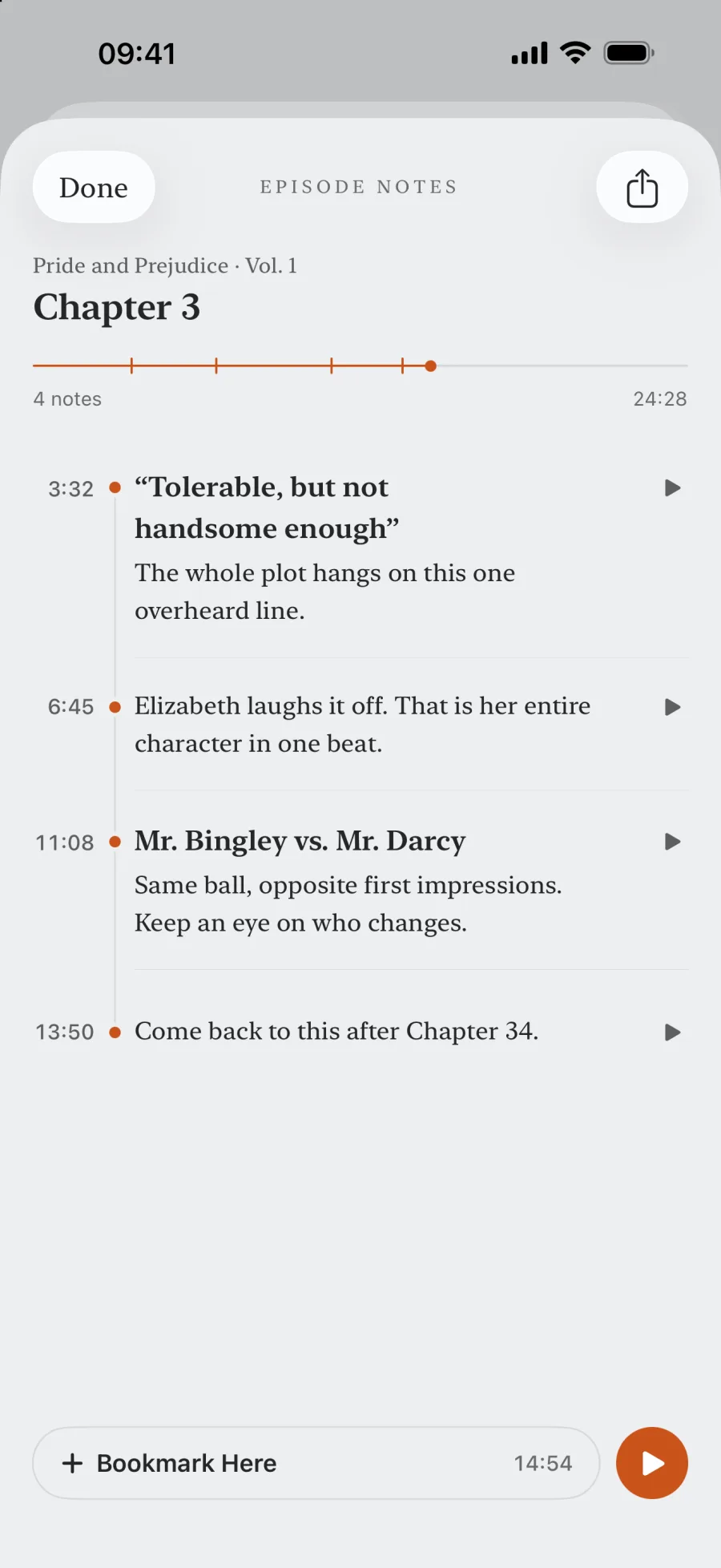
EarMemo lets you write a note without leaving playback, stamped with the exact second you were at. Tap the marker later and the audio jumps back to that moment. With EarMemo Pro (a one-time purchase), notes export as plain Markdown — one note, one episode, or a whole album merged — ready to put into Obsidian by hand; the timecodes in the file are plain text, not links back to the audio. The free version gives unlimited markers and text on 5 of them. Nothing is uploaded or transcribed.
The problem this solves
You hear one good sentence at 3:12:40 of a nine-hour book. Six months later you remember the idea and not the book. The usual workaround is a bookmark plus a scavenger hunt: find the file, scrub around, find the sentence, retype it somewhere. A timestamp-anchored note collapses that into one action taken while the sentence is still in your ear.
If your real problem isn't taking notes but remembering what you listen to at all, start with a practical workflow for remembering audiobooks. This page is the tool side of it.
How it works in EarMemo
- Drop a marker while listening. The marker records the exact playback position. Markers are unlimited, including in the free version.
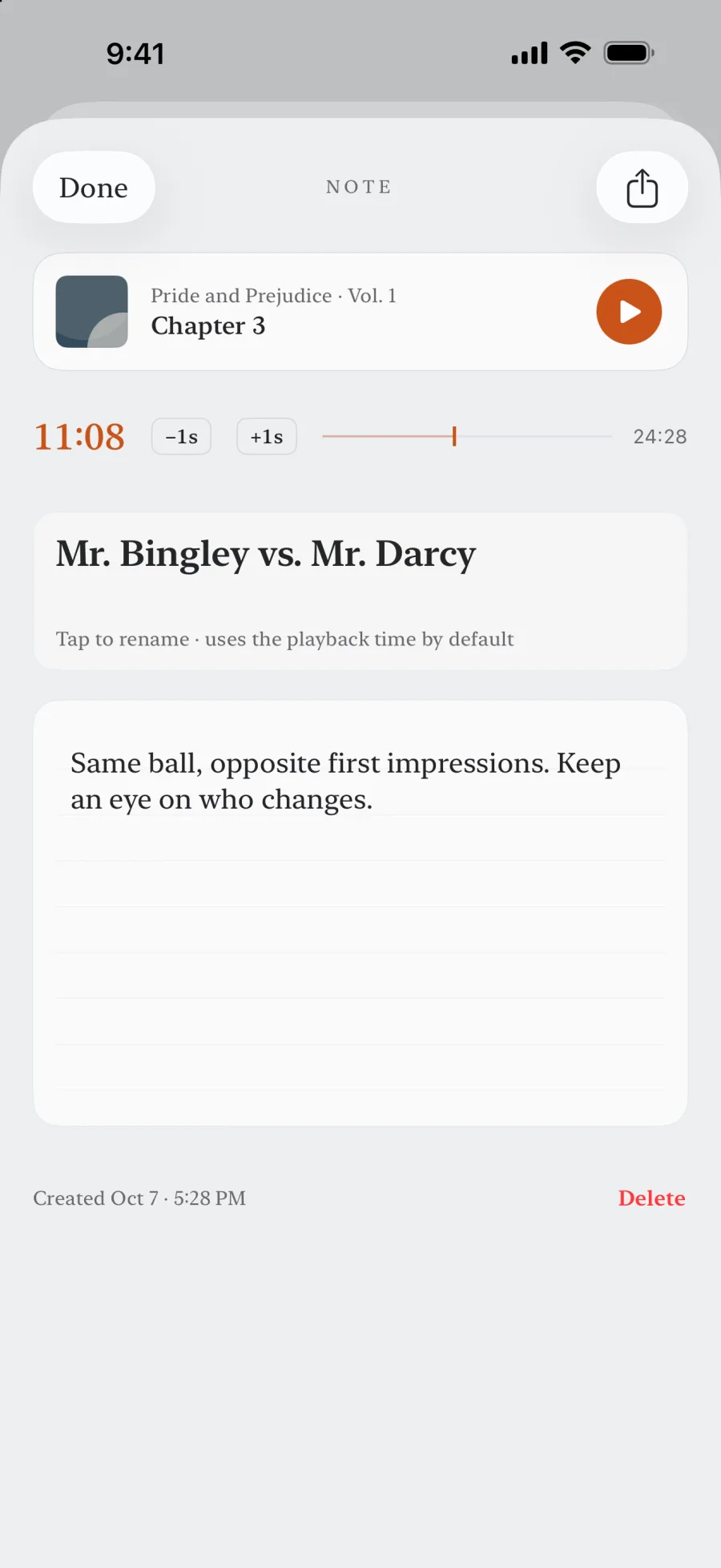
- Write on it, then or later. Notes auto-save. You can add a marker now and put words on it when you get to a keyboard.
- Tap the marker to jump back. Playback resumes at that exact second, so you can re-hear the sentence before you quote it.
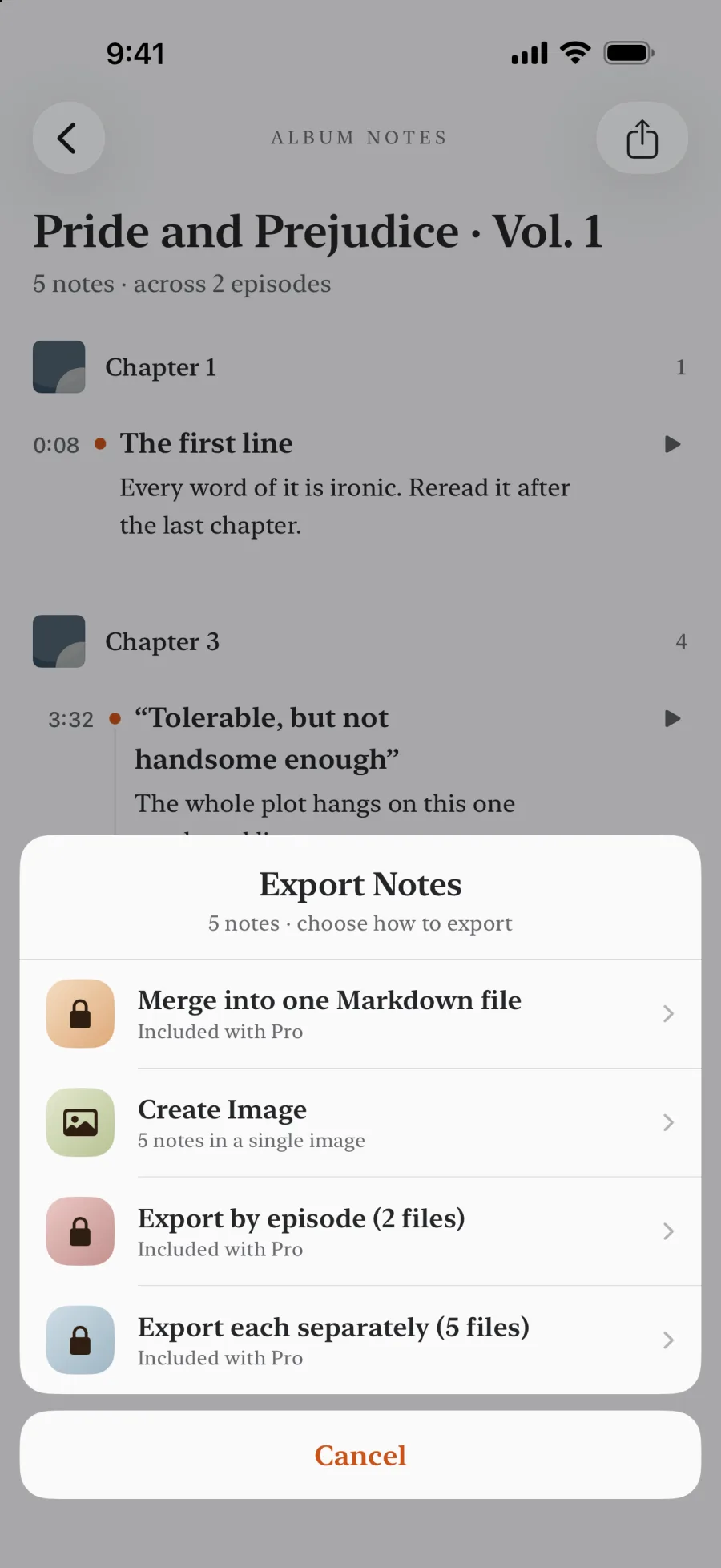
- Export as Markdown (Pro). A single note, one episode's notes, or every note in an album merged into one file. Plain
.md, no proprietary container.
How this differs from the AI podcast-note apps
Snipd offers podcast transcripts, AI summaries, and Obsidian sync. Those are useful if you want automatic text from podcast episodes. Both apps let you mark a moment from your headphones; after the press, Snipd turns it into a transcript and an AI summary, and EarMemo keeps the exact second for your own words. EarMemo works on local files, without sending listening data to a service.
| If you want… | Reach for | The trade |
|---|---|---|
| Your own words, at the second you heard it, on files you own | EarMemo | You do the writing. Nothing is transcribed for you. |
| Nothing leaving the device, no account | EarMemo | No cloud sync between your own devices either. |
| A one-time purchase instead of a subscription | EarMemo | No server-side features, because there is no server. |
| Automatic podcast transcripts and AI summaries | Snipd | EarMemo does not transcribe or summarize audio. |
| Subscribing to podcast RSS feeds inside the app | A podcast client | EarMemo has no feed catalogue — it plays files you already downloaded. |
| Notes living natively inside Obsidian | PodNotes or Audio Notes plugin | You work inside Obsidian rather than a phone player. |
How do I get these notes into Obsidian?
As files, in three steps. EarMemo currently has no live Obsidian sync or direct integration, so export is a manual step: it hands you .md files with the timestamps written in, and you put them in your vault the way you would any other file.
- Export from EarMemo (Pro). Open an album's notes (or My Notes) and tap Export → Markdown. Choose one file per note, one per episode, or one merged file per album. The iOS share sheet opens with the
.mdfiles attached. - Save into the vault folder. Pick Save to Files and navigate to the vault:
iCloud Drive › Obsidian › <your vault>if the vault syncs through iCloud, orOn My iPhone › Obsidian › <your vault>for a local one. A subfolder such asAudio notes/keeps them together. AirDrop to a Mac and dropping the files into the vault there works the same way. - Open Obsidian. It picks the new files up on the next launch. The per-episode
##headings show in the outline, the timecodes render as inline code, and you add tags, links, or front matter yourself — it is plain text, so nothing stops you.
What does the exported Markdown look like?
A merged export of one album. Every note is a ### heading carrying its timecode, so the source position survives however you later reorganise the text:
# Intro to Statistics — fall lectures

3 notes · exported Sep 17, 2026 at 9:40 PM

## Lecture 07 — Confidence intervals

### `0:41:12` — Why 95% is not "95% chance the mean is in here"

The interval is random, the parameter is not. Re-listen before the problem set: he gives the coin-flip version right after this.

### `1:03:55`

Worked example starts here. Sample size 40, standard error on the board.

### `1:19:30` — Width vs. n

Halving the width costs four times the sample. He says this is the one line to remember from the whole lecture.
An audiobook with chapters names each chapter once, above its notes, and every timecode counts from the start of its chapter. The whole book's time sits beside it, for a player that doesn't read chapters (the last note is a bare mark, words still to come):
# Thoreau · Walden

4 notes · exported Oct 15, 2026 at 9:40 PM

## Walden

**Economy**

### `41:15` · Book 41:15 — Quiet desperation

The line everyone quotes. In context it is about work and money, not mood.

### `2:05:30` · Book 2:05:30

He lists what the house cost, down to the half cent: $28.12½ in all.

**Where I Lived, and What I Lived For**

### `8:12` · Book 2:55:12 — Why the woods

“I wished to live deliberately.” Re-listen to the whole paragraph, not just the quote.

### `17:40` · Book 3:04:40
The timecode in the file is a reference, not a link: Obsidian cannot reach the audio on your phone. To hear the sentence again you open EarMemo and tap the marker — the file tells you where, the app takes you there. Because the files are plain Markdown they also work in Bear, Logseq, Notion, or a text editor.
What the free version includes
Markers are unlimited for everyone. The free version lets you write text on five of them; a one-time EarMemo Pro purchase removes that limit and enables Markdown export. Nothing you wrote is ever deleted or hidden by hitting a limit.
When EarMemo is the wrong choice
- You want transcripts. EarMemo does not transcribe. There is no speech-to-text, on-device or otherwise.
- You want an AI to summarise the episode. No AI features at all, by design.
- You want notes to sync to Obsidian automatically. Export is a manual step producing files; EarMemo does not provide cloud sync.
- You listen inside a podcast app via RSS. EarMemo plays downloaded files; it is not a podcast client and has no feed subscriptions.
Questions people actually ask
Can I take notes with timestamps while listening on iPhone?
Yes. EarMemo lets you drop a marker at the exact playback position without stopping playback, then write on it immediately or later. Tapping the marker jumps the audio back to that second.
Can I take timestamped notes on MP3 and M4B files?
Yes. Notes work on any file EarMemo plays — mp3, m4a, m4b, aac, flac, wav, and the audio track of mp4, mov, and m4v. The note is anchored to the playback position of that file, so the format makes no difference. The only files you cannot annotate are DRM-protected ones (Audible, Apple Books), because they cannot be imported in the first place.
Can I jump back from a note to the audio?
Yes. Every note carries the second it was written at. Tap the marker — from the album's note list or from My Notes across all albums — and playback resumes at that exact position without leaving the note. If you have since deleted the audio file, the note is kept but the jump has nowhere to go.
Can I export audio notes to Obsidian?
Yes, as files with EarMemo Pro. Export a single note, one episode, or an album as plain Markdown, then use the iOS share sheet to save the files into your vault folder. There is no live Obsidian sync or direct integration; the export is manual.
Can I click the timestamp in Obsidian to jump back to the audio?
No. In the exported file the timecode is plain text, such as `1:03:55`, and Obsidian has no way to reach the audio on your phone. Jumping back happens inside EarMemo, where tapping the marker resumes playback at that exact second. The file gives you the reference; the app gives you the playback.
Does EarMemo transcribe audio?
No. There is no transcription and no AI. The notes are the ones you write yourself; the app's contribution is anchoring them to the exact second and getting them back out as Markdown.
Do the notes survive if I delete the audio file?
Yes. Notes and bookmarks are stored separately from the audio, so clearing files to save space does not take your notes with it.
Does it work for lectures and voice memos too?
Yes. Anything you can import — lecture mp3s, the audio track of an mp4 recording, interviews, voice memos — takes timestamped notes the same way.
Is note-taking free?
Markers are unlimited in the free version, with text on five of them. A one-time EarMemo Pro purchase removes the writing limit and enables Markdown export.
Try it with your own files
EarMemo is free to download and free to keep using within its quota. EarMemo Pro is a single one-time purchase — no subscription, no ads, no account.