 EarMemo
 › Dharma Seed talks offline
How to save Dharma Seed talks to your iPhone for offline listening
Dharma Seed's FAQ gives the route: set Safari's downloads to On My iPhone, then tap a talk's Listen button and choose Download (or touch and hold the talk's Download link and choose Download Linked File). The MP3 goes to the Files app. Import it into an offline player such as EarMemo to listen without a connection, with your place and marks kept.
Dharma Seed shares recorded dharma talks as MP3s, without charge. Its FAQ answers this exact question for iPhone and iPad; the steps below follow it and add where the file goes next.
Save a talk
- Point Safari's downloads at the phone (optional, but it is what the FAQ suggests): Settings → Safari → Downloads → On My iPhone (Settings → Apps → Safari on iOS 18 and later).
- Open the talk on dharmaseed.org.
- Tap Listen and choose Download (the other choice, View, plays it in the browser). Or touch and hold the talk's Download link and choose Download Linked File.
- Open Files → Downloads to see it.
Import the files into EarMemo
- From Files. In EarMemo, tap ⋯ → Import Audio / Video, open Downloads, and select the files (tap Select to pick several). Choose Import Folder instead when you have a whole folder. A retreat's talks, saved into one folder, become one album.
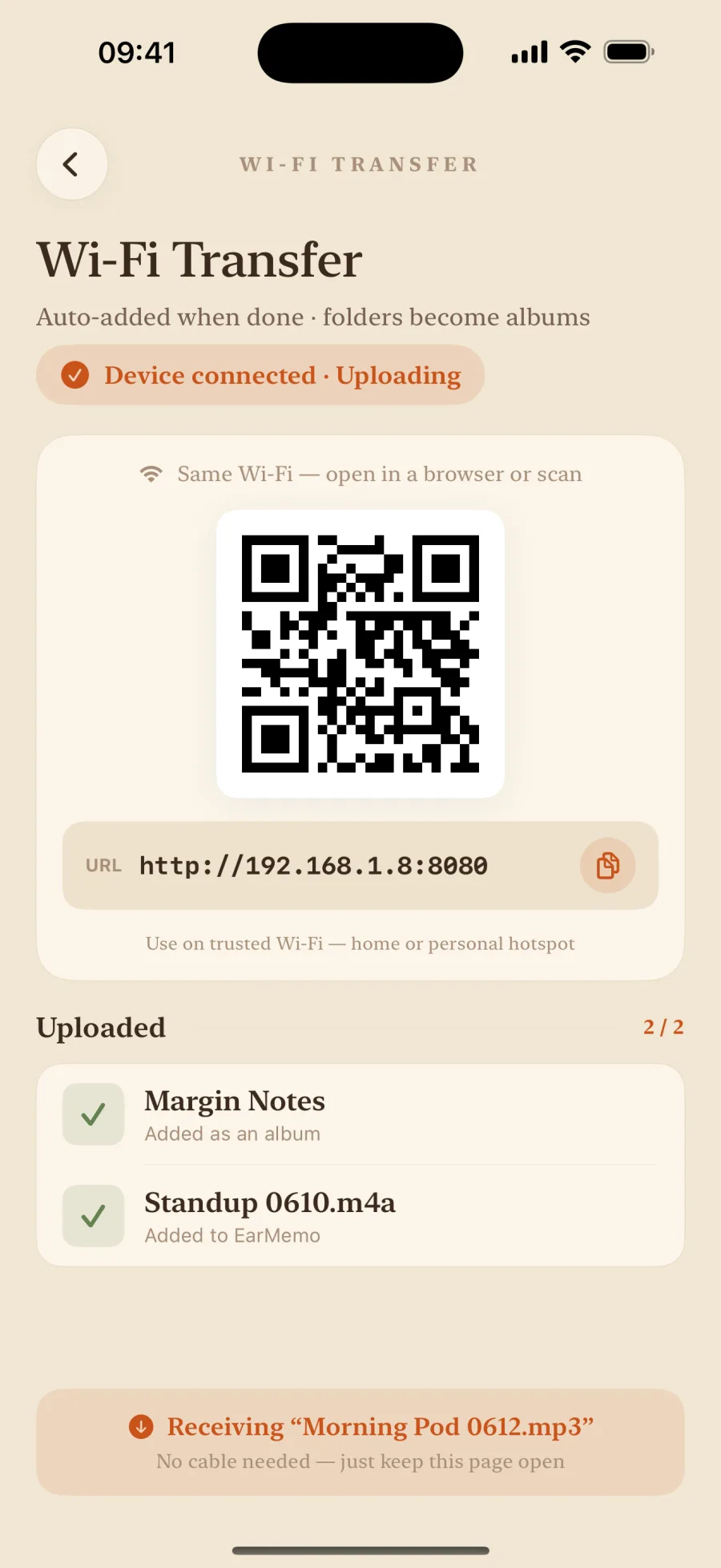
- Or from a computer over Wi-Fi. For a big batch, download on the computer, then in EarMemo tap ⋯ → Wi-Fi Transfer, open the address it shows in any desktop browser on the same network, and drag the folder onto the page. The transfer stays on your local network. All four transfer routes.
Listen: speed, resume, and marks from your headphones
- Speed from 0.5× to 3.5×, pitch kept, for a talk you want to slow down or speed up.
- It remembers the exact second in every file, so you can leave one file, play another, and come back to where you stopped.
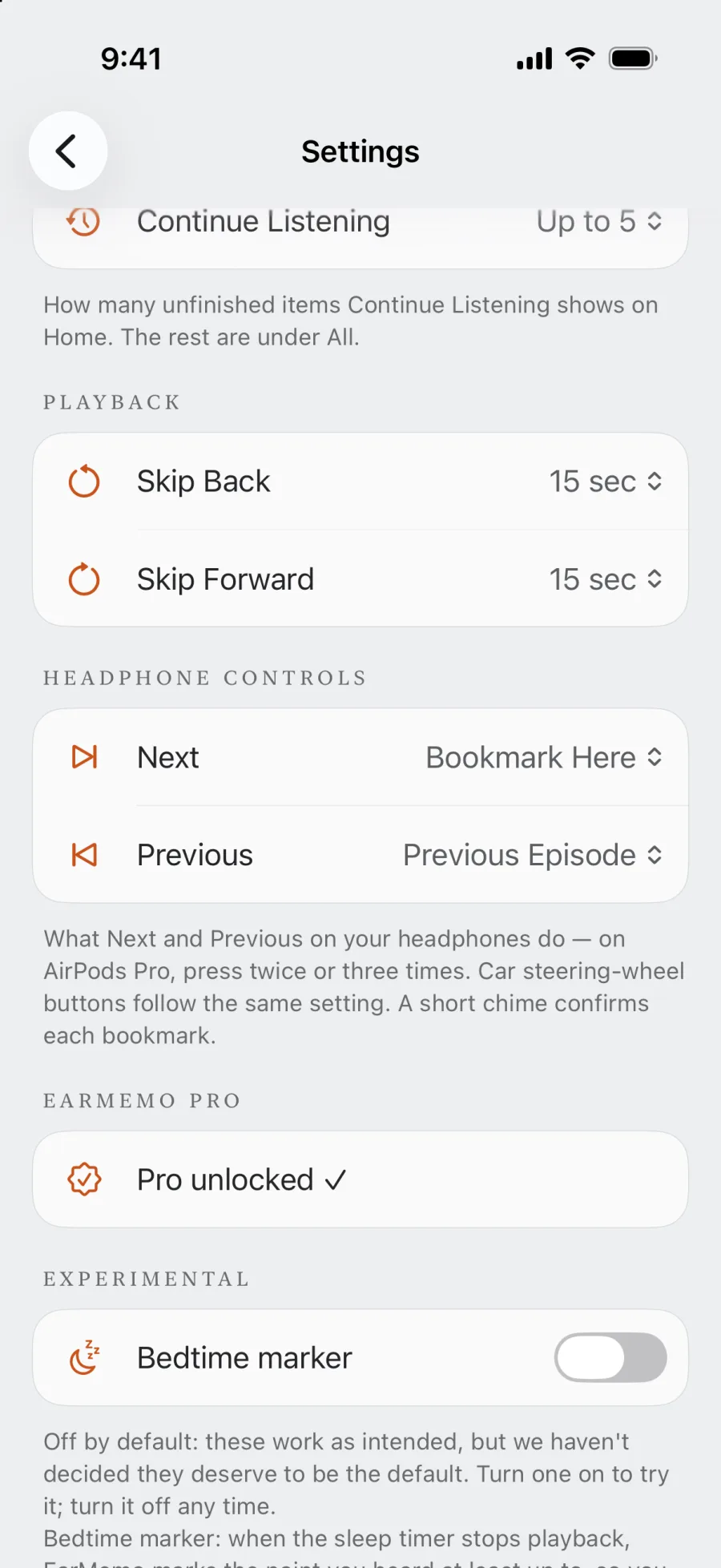
- Mark a moment without touching the phone. In Settings → Headphone Controls, set Next to Bookmark Here. On AirPods Pro, press twice; a short chime confirms the mark. Add a sentence later, and tap the mark to hear that passage again.
- A sleep timer with a countdown on the Lock Screen, for listening in bed.
If you listen before sleep, the sleep timer can stop the talk after a set time; EarMemo still remembers where it stopped.
License and dana
Dharma Seed's content is licensed under Creative Commons Attribution-NonCommercial-NoDerivatives 4.0, and its FAQ asks that talks not be repackaged for sale. The site runs on donations; there is a Donate link on every page.
Official pages used for this guide
When EarMemo is the wrong choice
- You only listen to Dharma Seed. Dharma Seed has its own free iPhone app, and a podcast feed of new talks. Either may be all you need.
- You want talks to download automatically. EarMemo does not subscribe to feeds; a podcast app with the Dharma Seed feed does.
- You want a meditation timer with bells. EarMemo is an audio player, not a meditation app.
Questions people actually ask
How do I download a Dharma Seed talk on iPhone?
Tap the talk's Listen button and choose Download, or touch and hold its Download link and choose Download Linked File. Dharma Seed's FAQ suggests setting Safari's downloads to On My iPhone first. The MP3 then appears in the Files app.
Where are downloaded talks on my iPhone?
In the Files app, in Downloads — under On My iPhone or iCloud Drive, depending on Safari's download setting.
Why use another app when Dharma Seed has one?
You may not need to. EarMemo helps when you mix sources, want marks from your headphones with notes on them, or want everything kept on the device with no account.
Can I share the talks?
Dharma Seed's license is Creative Commons BY-NC-ND 4.0: non-commercial sharing with attribution and no changes. Its FAQ asks that talks not be repackaged for sale.
Is EarMemo free for this?
Free to download, and the free allowance never expires: you can listen to one album at a time, try 10 different audio tracks in total, add unlimited timestamp markers, and write text on 5 of them. Importing, resume, speed and the sleep timer are free. A long series needs EarMemo Pro, a single one-time purchase with no subscription.
Try it with your own files
EarMemo is free to download and free to keep using within its quota. EarMemo Pro is a single one-time purchase — no subscription, no ads, no account.